
From paying bills and scheduling appointments to ordering gifts and streaming movies, we spend an increasing amount of time online. With each connected device and login across smartphones, TVs, and security cameras, the risk of a cybersecurity attack multiplies.
Imagine you’re paying a bill online when you receive a text asking you to pay an overdue bill. After you submit your payment, you feel uncertain about the new message. You don’t recognize the phone number, and the message includes a link to add your payment information. But you notice the website’s URL misspells the company’ name and the logo you recognize looks different, so you close the website and delete the text.
Online scams are common and often tied to daily activities. Before you provide payment information or personal details to a random link or phone call, use these safe internet tips to keep your home secure online.
Table of Contents
- What is Home Network Security?
- How to Keep Your Home Network Safe
- How Fiber Can Protect Your Data
- Common Small-Town Scams to Avoid
- FAQs
What Is Home Network Security?
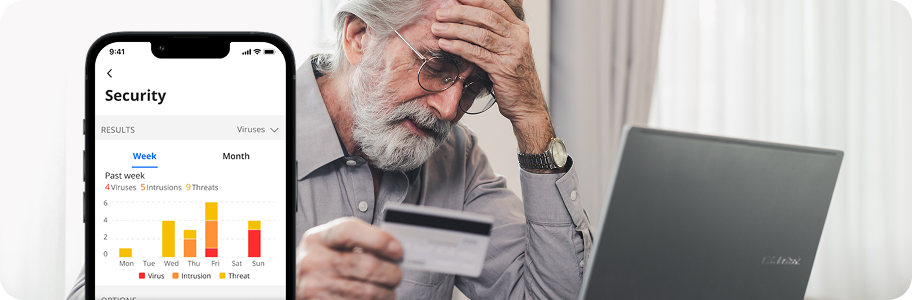
With the explosion of smart home devices, it is more important than ever for homeowners to understand how to keep their home internet safe. Network security determines how easily hackers can access devices connected to your internet, and even the router itself. Keeping your home network secure means knowing which devices are connected at all times, using strong, unique login credentials, recognizing fake messages or calls, and more. Parental Controls can strengthen your home’s network security by helping you manage device access and online activity. Think of your home network security like locking the doors to your home. If the entry door is open, anyone can access the inside.
How your home network security can be at risk:
- Each device on your internet is a potential way in for malware or a hacker.
- Messages or calls claiming they are from a company you recognize, but contact you outside of their official website, email, or phone number, are common phishing scams.
- One hacked account or infected device can lead to more access from unauthorized users on other devices.
How to Keep Your Home Network Safe
Whether it’s an obvious attempt to hack your online accounts or an undetectable virus bogging down your internet speeds, there are steps you can take now to defend your network security.
Here’s what to do if you encounter:
Unexpected pop-ups, links with unrelated terms, or browser redirects
Never click a link that uses a suspicious address, uses language that tries to rush you, or tap a website button you don’t recognize.
Unfamiliar devices connected to your home Wi-Fi
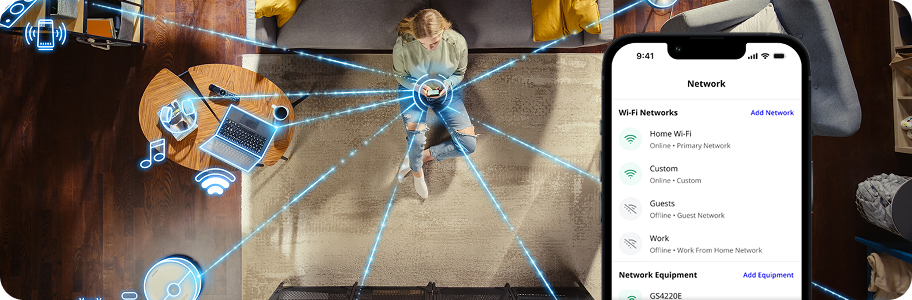
Check your network app for unauthorized devices connected to your internet.
Emails, texts, calls, or pop-ups asking you to verify personal or payment information
If a message pops up randomly and requests a payment or personal information, take the safe step of contacting the company directly to confirm the request.
Account activity and changes or password reset notifications you didn’t initiate
Immediately log out of your account on all devices and reset your password on the official website associated with your account.
Unexpected software changes, security alerts, or strange device behavior: If you notice unfamiliar apps on your device, fast-draining batteries, or random reboots, your device may have a virus. Disconnect the device from your home’s network, run a security scan, and clear all browsing data.
How Fiber Can Protect Your Data
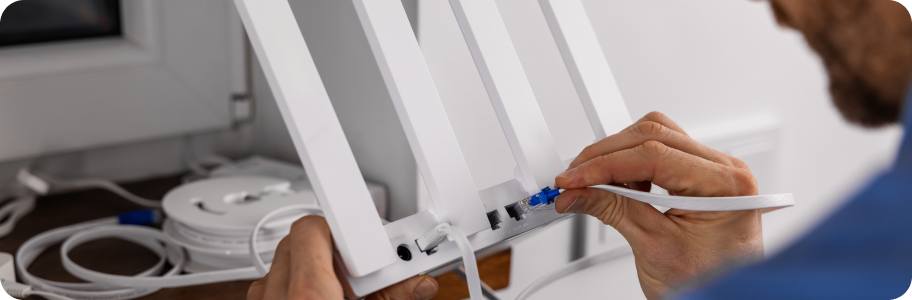
Fiber networks are more secure than cable or wireless internet. Here’s why:
1. Fiber Cables Are Harder to Tap
Compared to cable or broadband, fiber optic internet is generally considered safer and more secure. Fiber optic cables transmit pulses of light that are less susceptible to interference.
2. Network-Level Threat Blocking
Many fiber providers offer enhanced network security, like Internet Protection, to help filter suspicious websites and block known malicious connections before they reach your device.
3. Keep Apps and Devices Updated
Fiber’s fast, reliable connection can help your phones, computers, smart TVs, and other connected devices download software and security updates smoothly. Keeping your devices and apps updated helps address security vulnerabilities as they become known.
Interested in an extra layer of internet protection for your home network? Text 573-386-2241 to learn more about our enhanced network security options.
Common Small-Town Scams to Watch For
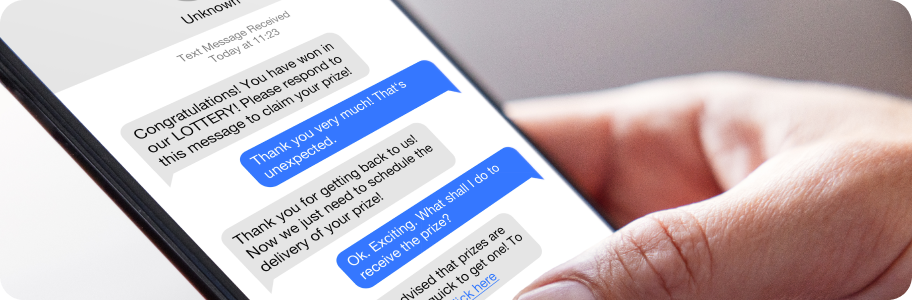
A message claiming your electric, water, or internet service will be disconnected unless you pay immediately may be a scam. Don’t use the payment link or phone number in an unexpected message; contact the provider through its official website or a verified number.
Scammers may imitate government agencies and request payment for supposed fines, fees, or penalties. Verify the claim directly with the agency before sharing information or sending money.
Fake invoices, online payment pages, and urgent requests can pressure people into acting before checking the details. Pause, verify the sender independently, and avoid paying through gift cards, cryptocurrency, or other unusual methods when a stranger demands them.
Our security and parental control packages, Internet Protection and Parental Controls, provide additional support for managing threats and connected devices. Because when it comes to your internet, we want to help protect your moments.
Explore enhanced network security for your Mid-Missouri home
FAQs
What is network security, and why does it matter for my home’s internet?
Network security includes the tools, settings, and practices that protect connected devices on your home internet. Network security can reduce risks like hacked accounts or devices, stolen information, and disrupted internet.
What do common online scams and network security risks look like?
Common network security risks include phishing messages, fake shopping websites, malware infections, weak or reused passwords, unauthorized internet connections, and outdated router software. Unique passwords, updated device software, and network protection can help reduce scams and malware.
What are easy safe internet tips for families?
Use unique passwords for every account, enable multi-factor authentication, update device software regularly, and verify links before clicking. Our network-level Internet Protection and Parental Controls add another layer of home internet protection.
How do I know if my home network or a device has been hacked?
Confirm all the devices currently connected to your home internet network. If you spot any unfamiliar connected devices, receive unexpected account alerts, suspicious pop-ups, changed settings, or unusual account activity, log out of your account immediately and disconnect all devices from your internet.
Which network security tools do I need at home?
Use multi-factor authentication on all accounts, keep all devices updated with the newest security software, change the default administrator username and password on your router, and disable remote management of your router from the open internet.
Does Kingdom Networks offer protection against malware and phishing scams?
Yes. Kingdom Networks offers Internet Protection, designed to automatically block malware, phishing scams, and risky websites, with real-time monitoring in the background.
How can Kingdom Networks help me protect my family online?
Kingdom Networks offers Parental Controls to help protect connected devices, manage internet use and screen time, and support safer online habits. Contact us at 573-386-2241 or customerservice@kingdomtelco.com to sign up or add it to your plan.